
ChatGPT is no longer just a chatbot.
Today, ChatGPT does far more than answer questions. During my testing, I used it to write blog posts, brainstorm ideas, debug Python code, summarize documents, and even generate images. It has evolved into a practical AI assistant for both personal and professional work.
But with Free, Go, Plus, and Pro plans now available, choosing the right version can be genuinely confusing. Each plan offers different features, different limits, and a very different experience.
For this hands-on review, I spent seven days testing ChatGPT’s most important features using real tasks from my blog, HustleAI Lab. Instead of relying only on product documentation, I used it to write articles, research competitors, generate images, analyze files, and explore its productivity features. Throughout this review, I’ll share what worked
well, what didn’t, and whether ChatGPT is worth paying for.
Quick Summary — HustleAI Lab Verdict
| Evaluation Area | Score (/10) | Comments |
|---|---|---|
| Ease of Use | 9.8 | Beginner-friendly with a clean interface. |
| Feature Set | 9.7 | Covers writing, coding, research, images, and productivity. |
| Performance | 9.6 | Fast responses with consistent quality. |
| Research Capabilities | 9.4 | Strong web search and Deep Research features. |
| Coding Support | 9.7 | Reliable for programming and debugging tasks. |
| Image Generation | 8.6 | Produces good results, though refinement is sometimes needed. |
| Value for Money | 9.8 | Excellent balance of features and pricing. |
HustleAI Lab Score: 9.6 / 10
Verdict: Recommended
How I Tested ChatGPT
Before diving into the features, here is exactly how I conducted this review so you know the results are based on real usage and not just product documentation.
- I used both the Free and Plus plans every day for seven consecutive days.
- Tested 20 plus different prompts across writing, coding, and research tasks
- Wrote two complete blog post drafts using ChatGPT
- Created featured images for blog posts and Pinterest pins to evaluate ChatGPT’s image generation quality.
- Compared Free vs Plus performance side by side
- Tested web search for real-time research
- Uploaded keyword research files to test ChatGPT’s ability to analyze SEO data.
- Used Deep Research for a competitor analysis report
- Tested voice mode for brainstorming
- Used Canvas to edit and refine long-form blog content.
Every rating in this review is based on these real tests
What is ChatGPT?
ChatGPT is an AI assistant created by OpenAI. It uses large language models to understand your messages and generate human-like responses in seconds.
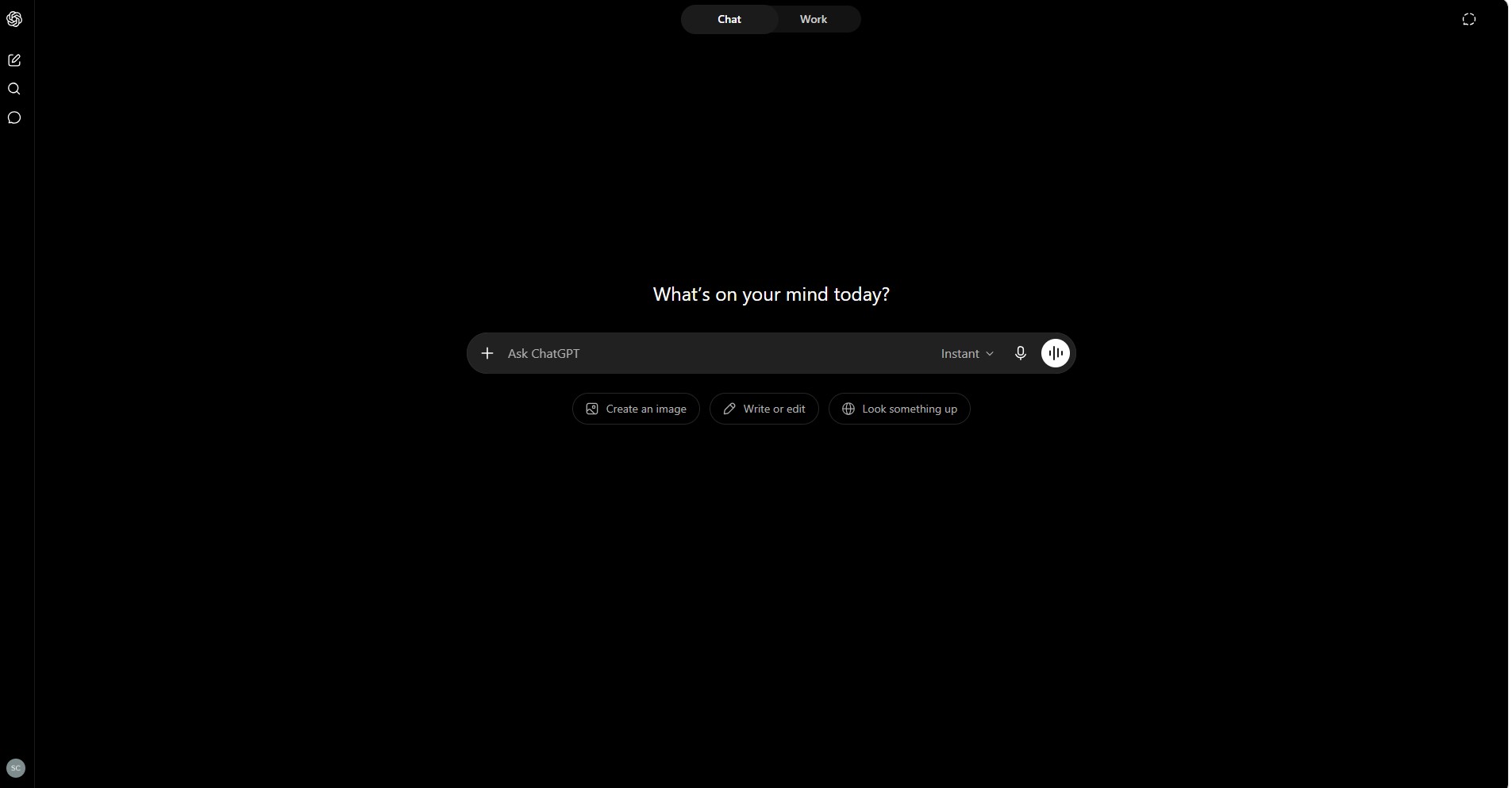
You can use ChatGPT to write articles, answer questions, generate code, create images, analyze spreadsheets, summarize documents, brainstorm ideas, and even search the web, all through a simple conversational interface. .
Since its launch in 2022, ChatGPT has grown into the most widely used AI tool in the world with over 300 million weekly active users as of 2026.
ChatGPT Plans and Pricing
ChatGPT offers four plans designed for different types of users, from complete beginners to professionals who rely on AI every day.
Plans and Pricing
Free
Beginners
- GPT-5 Instant model
- Web search
- Basic text generation
- Limited daily messages
- No image generation
- No voice mode
- No file analysis
Plus
Regular users on a tight budget
- More daily messages
- Faster responses
- Web search
- Basic voice mode
- Limited image generation
Plus
- Image generation with DALL-E
- Advanced voice mode
- Web browsing and search
- File upload and analysis
- Custom GPTs
- Deep Research
- Canvas editing mode
- Memory feature
- Code interpreter
Pro
Researchers, and developers who need unlimited AI access.
- Unlimited access to all models
- GPT-5 Pro mode
- 4x larger context window
- Fastest response speeds
- o1 Pro reasoning mode
- Advanced coding tools
- ChatGPT Pulse feature
- Priority access to new features
ChatGPT Features — Hands-On Review
Feature 1: Text Generation and Writing
Rating: 9 out of 10
Writing is where ChatGPT impressed me the most during testing. Whether I asked it to draft blog posts, emails, or social media captions, it consistently produced structured and readable content within seconds.
During my testing, I used ChatGPT to draft blog introductions, product descriptions, Pinterest pin titles, email newsletters, and YouTube scripts. It handled each task surprisingly well, although every draft still benefited from a quick human review.
My Test:
I asked ChatGPT Plus to write a 1,000-word blog post introduction about AI side hustles for beginners. It produced a well-structured, readable draft in under 10 seconds. The tone was natural and the structure was logical.
What I liked: The biggest advantage was how quickly I could move from a blank page to a usable first draft. The structure was logical, and changing the writing style only required a simple follow-up prompt.
What needs improvement: Output can occasionally sound generic. Personal editing is always needed to add your unique voice.
Feature 2: Web Search and Real-Time Information
Rating: 8 out of 10
Unlike earlier versions, ChatGPT can now search the web for current information instead of relying only on its training data. I wanted to see how accurate those results were in real-world use.
My Test:
I asked ChatGPT to find the latest AI tools released in June 2026. Most of the information matched the original sources I checked manually, although a few very recent announcements weren’t included.
What I liked: Results are fast and well-summarized with clickable sources.
What needs improvement: Occasionally misses very recent news from the past 24 hours.
Feature 3: Image Generation with DALL-E
Rating: 7.5 out of 10
Available on Plus and Pro plans, image generation has improved significantly over the past year, so I wanted to see whether ChatGPT could create graphics that were actually usable for blogging and social media.
My Test:
I asked it to create a professional thumbnail image for a YouTube video about faceless channels. The result was a clean, usable image in about 15 seconds.
What I liked: Most images were ready in less than 20 seconds and required only minor prompt adjustments before I was happy with the result.
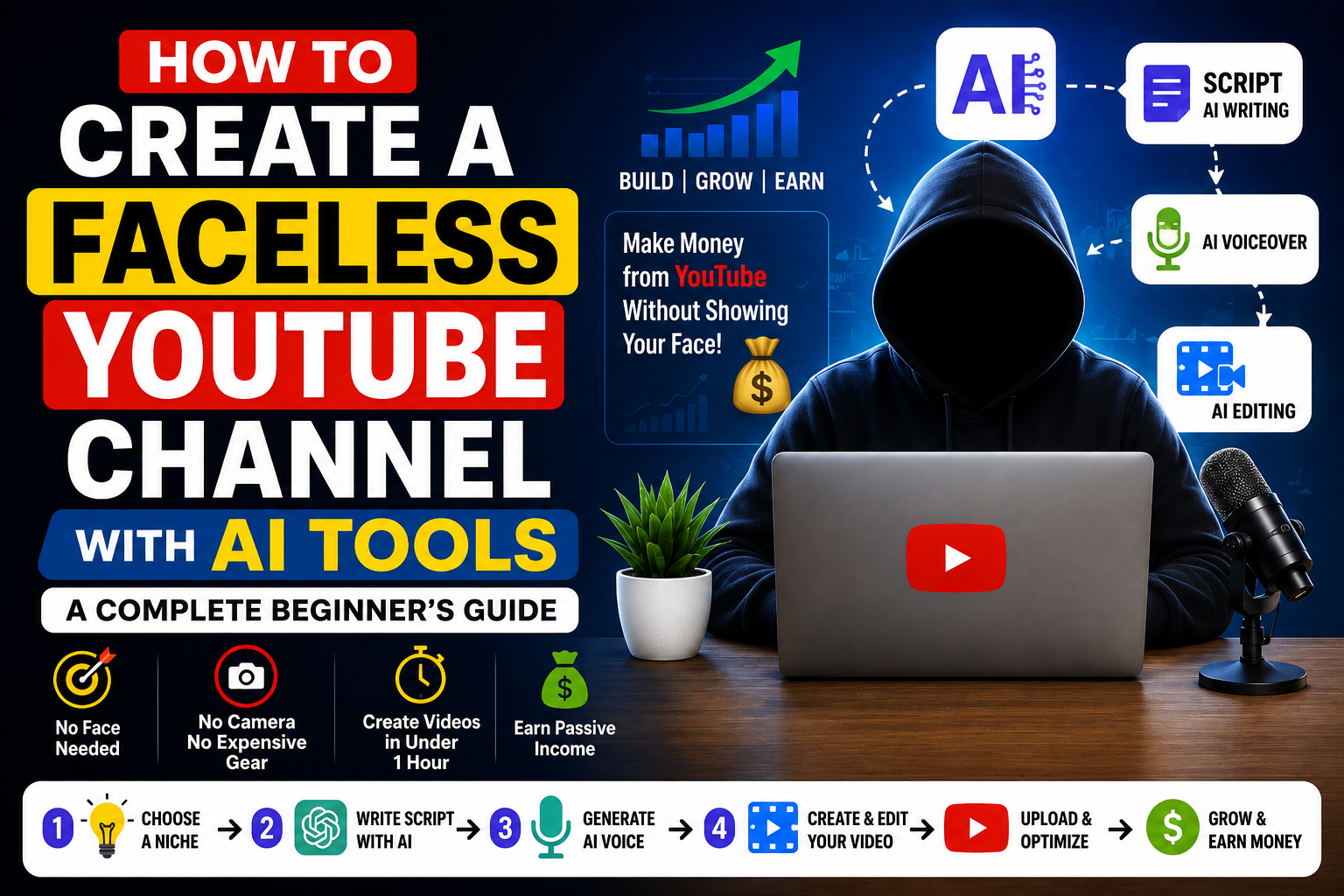
What needs improvement: Consistency varies. Some prompts need multiple attempts to get the right result. Not ideal for highly specific or technical images.
*The above image is Chatgpt generated image.
Feature 4: Advanced Voice Mode
Rating: 8.5 out of 10
Available on Plus and Pro plans, Voice Mode feels less like talking to a chatbot and more like having a conversation with a knowledgeable assistant.
My Test:
I used voice mode to brainstorm article ideas for HustleAI Lab. The conversation was smooth, the responses were fast, and the suggestions were genuinely useful.
What I liked: Feels like talking to a knowledgeable assistant. Great for hands-free brainstorming.
What needs improvement: Occasional pauses when processing longer questions.
Feature 5: File Upload and Data Analysis
Rating: 9 out of 10
ChatGPT Plus and Pro can analyze documents, spreadsheets, PDFs, and images that you upload.
My Test:
I uploaded a CSV file containing keyword research data and asked ChatGPT to identify the five best keywords for a new blog post based on search volume and competition. It analyzed the data and returned clear recommendations within seconds.
What I liked: Analyzing the spreadsheet manually would have taken considerably longer, so this feature was one of the biggest productivity improvements I noticed.
What needs improvement: Very large files can sometimes cause slower processing.
Feature 6: Code Generation and Debugging
Rating: 9 out of 10
ChatGPT is one of the best AI tools for writing, explaining, and debugging code. It supports Python, JavaScript, HTML, CSS, and dozens of other languages.
My Test:
I asked ChatGPT to write a Python script to automate keyword data collection from a CSV file. The first version of the script worked with only one small modification, which is impressive for AI-generated code.
What I liked: Code quality is excellent. Explanations are clear even for beginners.
What needs improvement: Complex multi-file projects sometimes require multiple prompts to get exactly right.
HAL Insight
For most bloggers and regular users, ChatGPT Plus offers the best balance of features and price.
Feature 7: Memory and Custom Instructions
Rating: 8.5 out of 10
ChatGPT Plus can remember information about you across conversations. Custom instructions let you define how you want ChatGPT to respond every single time.
My Test:
I added custom instructions telling ChatGPT that I run a blog called HustleAI Lab focused on AI tools and side hustles for beginners. In every conversation afterward, it automatically tailored its responses to match my blog without me needing to re-explain my context.
What I liked: Saves significant time for regular users. Makes ChatGPT feel more personalized.
What needs improvement: Memory is not perfect and can occasionally forget specific details.
Feature 8: Deep Research
Rating: 8 out of 10
Available on Plus and Pro plans, Deep Research is designed for more complex research tasks where a quick answer isn’t enough. I wanted to see whether it could produce a report I would actually use.
My Test:
I asked ChatGPT to conduct a competitor analysis for AI tools blogs in 2026. It produced a comprehensive 2,000-word report with multiple verified sources in about four minutes.
What I liked: Saves hours of manual research. Output quality is genuinely impressive.
What needs improvement: Takes 3 to 5 minutes to complete, which is slower than standard responses.
Ready to Try ChatGPT?
Start with the free plan and upgrade only when you need higher limits and advanced features.
Try ChatGPT Free →Affiliate link may be used when available.
Feature 9: Canvas Mode
Rating: 8 out of 10
Canvas is a real-time collaborative document editor where ChatGPT helps you write and edit content directly in a shared workspace.
My Test:
I used Canvas to write and edit an article outline for HustleAI Lab. ChatGPT suggested structural improvements, rewrote weak sections, and added missing details directly in the document while I watched.
What I liked: Much more intuitive than editing through chat. Instead of switching back and forth between prompts, Canvas let me edit the document while ChatGPT suggested improvements alongside my writing.
What needs improvement: Interface takes a few minutes to get comfortable with for new users.
Feature 10: Custom GPTs
Rating: 8 out of 10
Plus and Pro users can create and access Custom GPTs, which are specialized versions of ChatGPT trained for specific tasks.
My Test:
I used a Custom GPT built specifically for SEO blog writing. The output was noticeably more optimized than standard ChatGPT responses for the same prompt.
What I liked:There are already thousands of community-created GPTs covering different workflows.
What needs improvement: Quality varies significantly between different Custom GPTs in the library.
Pros and Cons
After using ChatGPT extensively over seven days for blogging, keyword research, coding, image generation, and productivity tasks, here are the advantages and limitations I noticed during my testing.
Strengths and Limitations
What I Loved
- Easy to get started, even if you’ve never used an AI tool before
- Helped me write, research, and brainstorm ideas much faster than working manually.
- Supports multiple languages, making it useful for users around the world.
- Performed well across a wide range of tasks, including content creation, coding, and data analysis. The Free plan includes enough features for beginners to learn and experiment. New features are added regularly, making the platform more capable over time. Available across desktop, web, and mobile devices with a consistent experience.
Things to Keep in Mind
- Requires internet Occasionally generated inaccurate or outdated information, especially on niche topics, so fact-checking is still important.
- Daily usage limits on the Free plan can be restrictive for heavy users. Some writing responses still need personal editing to match your own style and voice. The Pro plan is expensive for individuals who don’t use AI professionally. Privacy settings should be reviewed if you’re working with sensitive information.
- An internet connection is required because ChatGPT doesn’t support offline use.
Who Should Use ChatGPT?
Based on my testing, ChatGPT works best for people who use AI regularly as part of their work or studies. If you’re looking to save time on repetitive tasks or improve your productivity, it’s one of the most capable AI assistants currently available.
It is particularly well suited for:
- Bloggers who need help researching topics, creating outlines, and drafting articles.
- Freelancers who want to complete client work more efficiently.
- Developers who regularly write, review, or debug code.
- Students who need explanations, summaries, or help understanding complex concepts.
- Small business owners who create their own marketing content and business documents.
- Content creators who manage blogs, newsletters, YouTube channels, or social media.
Who May Want to Consider Other Options
ChatGPT may not be the right fit if your workflow depends on any of the following:
- You need an AI assistant that works completely offline.
- You have limited or unreliable internet access.
- You only use AI occasionally and don’t need premium features.
- Your work requires absolute factual accuracy without manual verification.
ChatGPT vs Competitors
| ChatGPT | Claude | Gemini | DeepSeek |
|---|---|---|---|
| Available | Not Available | Beginner-friendly with a clean interface. | Not Available |
| Available | Not Available | Covers writing, coding, research, images, and productivity. | Not Available |
| Available | Available | Available | Available |
| Available | Limited | Available | Not Available |
| Available | Available | Available | Limited |
Which ChatGPT Plan Should You Choose?
Choose Free if you are a complete beginner who wants to explore AI without any financial commitment.
Choose Go if you use ChatGPT regularly but do not need advanced features. Good budget option at $10 per month.
Choose Plus if you are a blogger, content creator, freelancer, or small business owner. At $20 per month, Plus offers the best value for most users. This is the plan HustleAI Lab recommends.
Choose Pro if you are a researcher, developer, or power user who needs unlimited AI access every day. Only justified for very heavy professional use.
Is ChatGPT Worth It for Bloggers?
If you regularly publish blog posts, create marketing content, or use AI as part of your daily workflow, ChatGPT Plus is worth considering. Whether it’s the right choice depends on how often you use the platform and which features are important to your work.
During my testing, I used ChatGPT for topic research, keyword brainstorming, article outlines, first drafts, Pinterest content, and SEO planning. While it didn’t replace the need for editing or fact-checking, it significantly reduced the time required to move from an idea to a finished draft.
For my own workflow at HustleAI Lab, ChatGPT has become one of the tools I rely on most. It helps me spend less time on repetitive tasks and more time improving the quality of my content.
How to Get Started with ChatGPT for Free
Creating a free ChatGPT account only takes a few minutes.
- Visit chatgpt.com.
- Click Sign Up.
- Create an account using your email address, Google account, or Apple ID.
- Verify your account and sign in.
- Type your first prompt and start exploring ChatGPT.
The Free plan doesn’t require a credit card, and you can upgrade to a paid subscription whenever your needs change.
Frequently Asked Questions
Is ChatGPT free to use?
What is the difference between ChatGPT Free and ChatGPT Plus?
Is ChatGPT worth paying for?
Is ChatGPT safe to use?
Can ChatGPT help write blog posts?
Can ChatGPT replace Google Search?
Is ChatGPT better than Claude?
Which ChatGPT plan is best for beginners?
Final Verdict
After spending several days using ChatGPT for blogging, research, coding, document analysis, image generation, and everyday productivity tasks, it’s easy to see why it has become one of the most widely used AI assistants available today.
The Free plan offers enough features for beginners to explore AI without paying for a subscription. For users who rely on AI regularly, ChatGPT Plus introduces practical features such as Memory, Canvas, Deep Research, file analysis, and image generation that can make everyday workflows more efficient.
That said, ChatGPT isn’t perfect. Like any AI assistant, it can occasionally produce inaccurate information or generate responses that still require human editing and fact-checking. I recommend treating it as a productivity assistant rather than a replacement for your own knowledge and judgment.
Based on my testing, ChatGPT provides an excellent balance of usability, features, and overall value. Whether you’re a blogger, freelancer, developer, student, or small business owner, it’s one of the most capable AI tools currently available.
If your goal is to save time, improve productivity, and build better workflows with AI, ChatGPT is a tool that’s well worth exploring.
Why You Can Trust HustleAI Lab
Instead of simply listing features or repeating marketing claims, every review on HustleAI Lab is based on practical testing, official documentation, and independent research.
For this ChatGPT review, I used the platform as part of my everyday blogging workflow, including keyword research, article planning, content writing, document analysis, image generation, and productivity tasks. My goal wasn’t just to explore what ChatGPT can do, but to understand how useful it is in real-world situations.
Whenever major features, pricing, or subscription plans change, I revisit and update my reviews so readers always have access to current information.
As HustleAI Lab grows, I’ll continue publishing hands-on reviews, comparisons, and beginner-friendly guides covering AI SaaS tools for blogging, productivity, automation, marketing, coding, and online business.
My goal is simple: to help beginners understand AI tools, choose the right software, and avoid spending money on products that don’t deliver real value.
About the Author
Sravan Chinni
Founder, HustleAI LabAI professional, AI tools reviewer and automation enthusiast who publishes hands-on guides for beginners.